ModHeader Extension: HTTP Header Editor
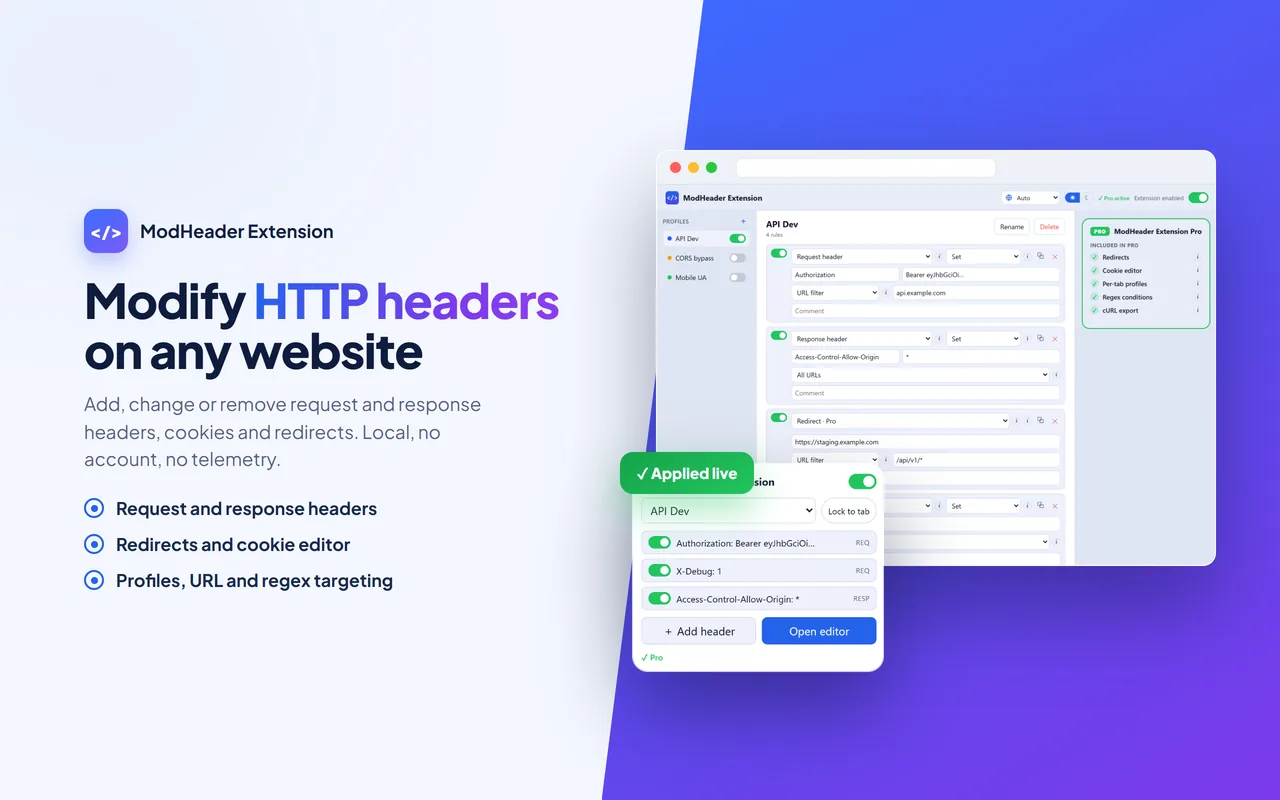
Modify HTTP headers in Chrome: add a custom header, edit it or remove it, on both requests and responses. A fast, clean, ad-free ModHeader alternative that runs entirely in your browser.




What it does
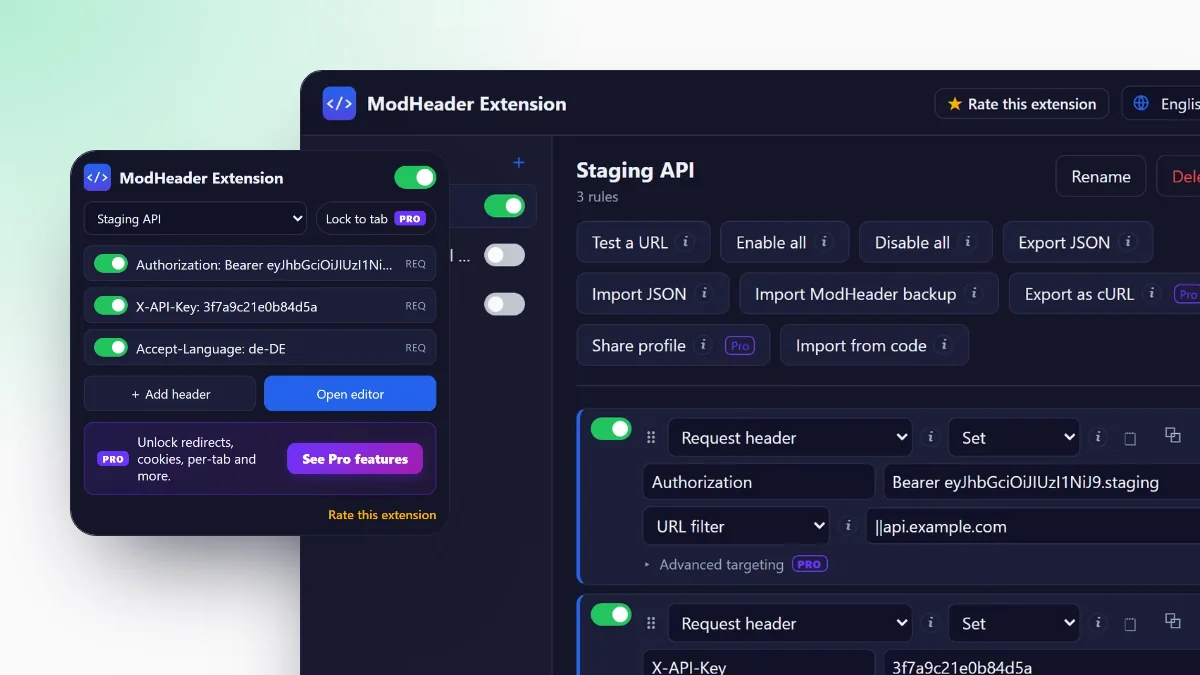
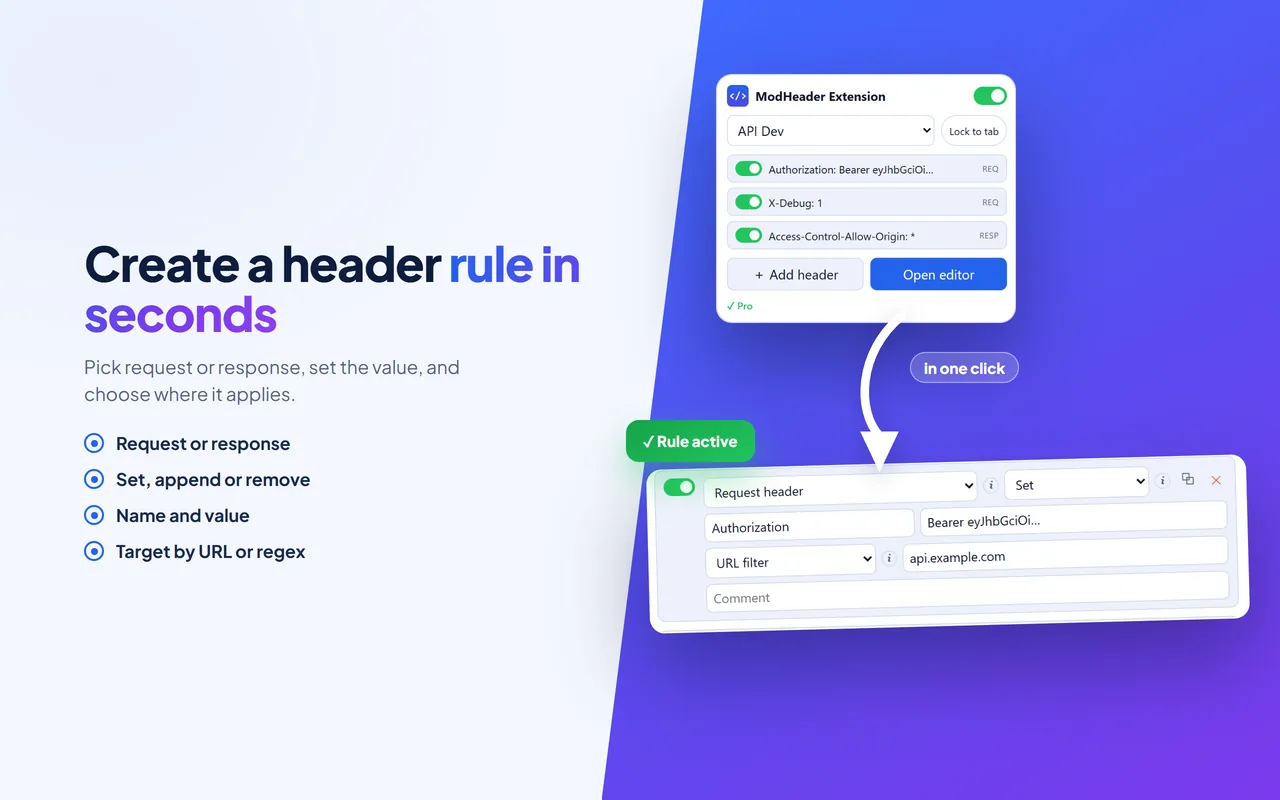
ModHeader Extension lets you add, change or remove HTTP request and response headers on any website. Organize your rules into profiles, switch between them in a single click, and target exactly the sites you want with URL filters (or regular expressions with Pro). New to it? Start with how to use ModHeader.
It's a fast, clean, ad-free ModHeader alternative, rebuilt to respect your privacy. Set a User-Agent, add an Authorization header, fix caching or debug CORS: the browser's own declarativeNetRequest engine applies your rules, so the extension never sees the content of your requests or the pages you visit.
Import your existing ModHeader backups, and export or share any profile as JSON. No account, no telemetry, everything stays on your device.
Key features
A clean ModHeader alternative
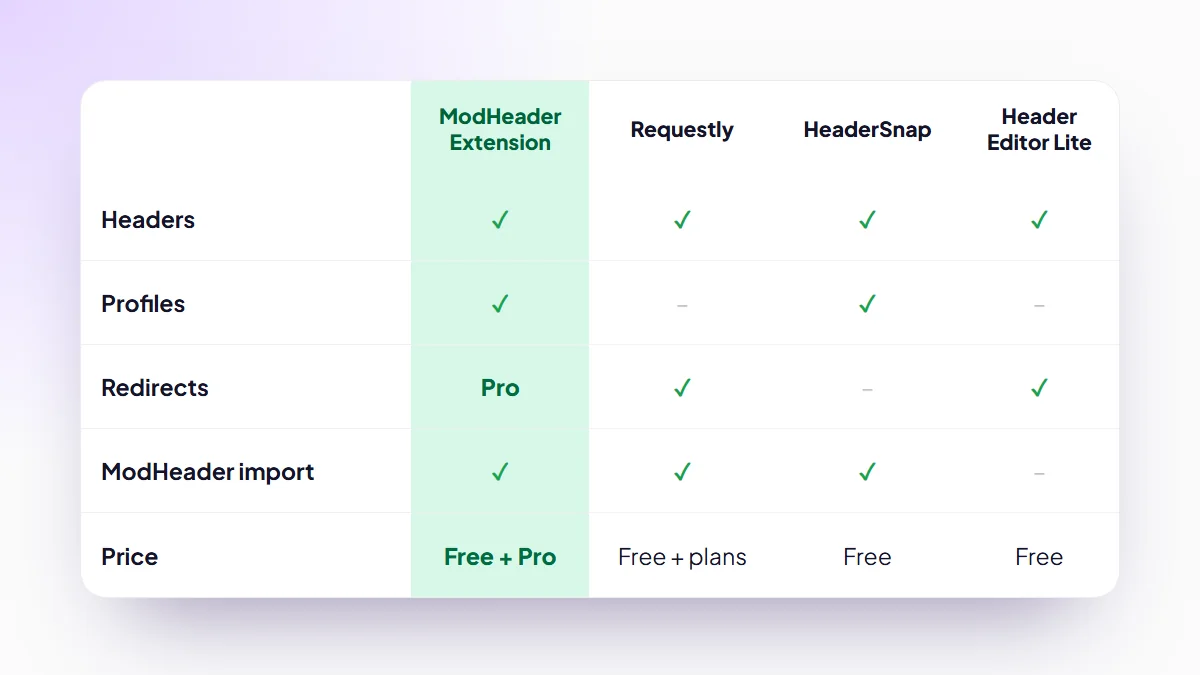
Looking for a ModHeader alternative for Chrome? ModHeader Extension does the same core job, modifying HTTP request and response headers, but keeps it free of ads, accounts and telemetry. Install it, import your ModHeader backup and your rules keep working. Compare it with other ModHeader alternatives on features and price.
Because it runs on Chrome's own declarativeNetRequest engine, this ModHeader Chrome extension never reads the content of your requests or the pages you browse. The free tier already covers what most people need; the one-time Pro upgrade unlocks redirects, request blocking, a cookie editor, per-tab profiles and regex, with no subscription.
It also works as a lightweight Requestly alternative for header work: no account, no cloud and no monthly plan.
What you can fix with it
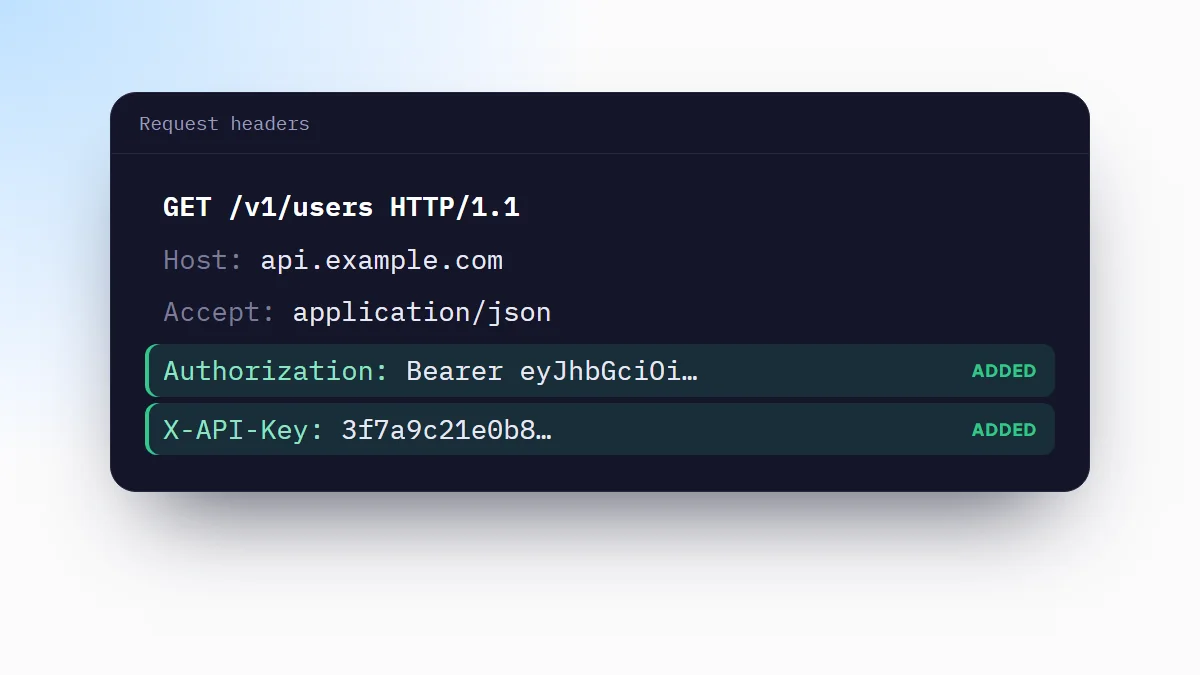
Add an Authorization header
Send a Bearer token or an HTTP Basic authentication header to any API or staging site, without touching your code. Step by step: how to add a custom header in Chrome.
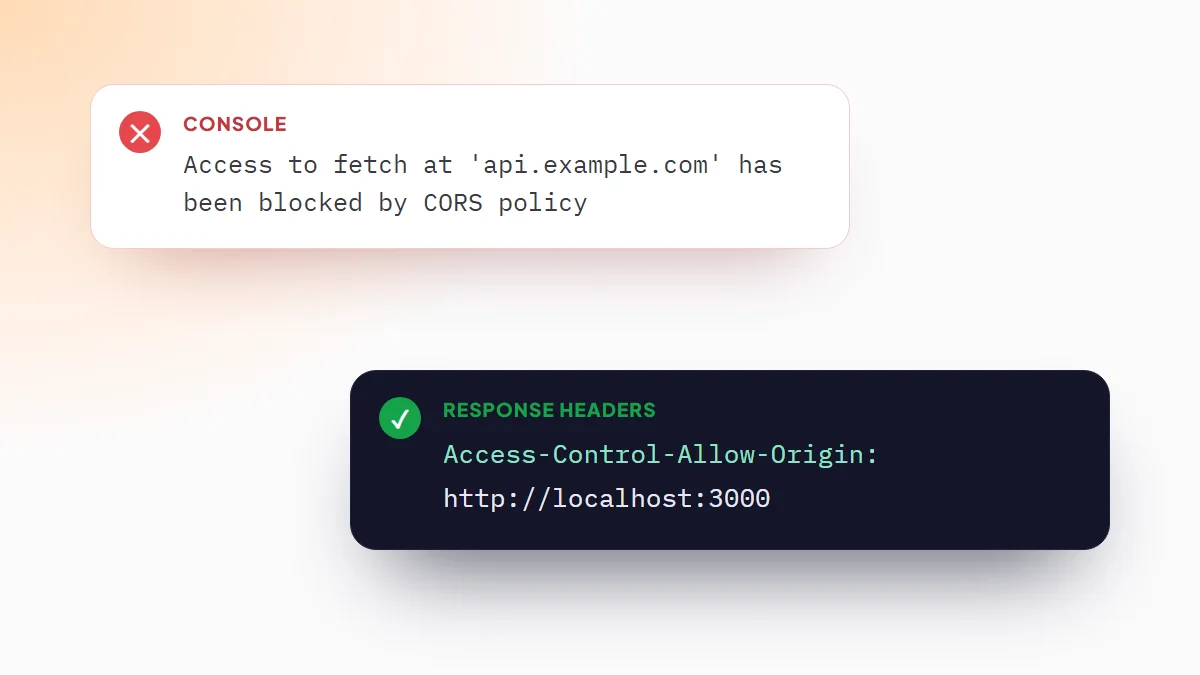
Fix CORS errors while you develop
Add Access-Control-Allow-Origin and the other CORS headers to API responses, so your local front end can call them during development. Read how to fix a CORS error in Chrome.
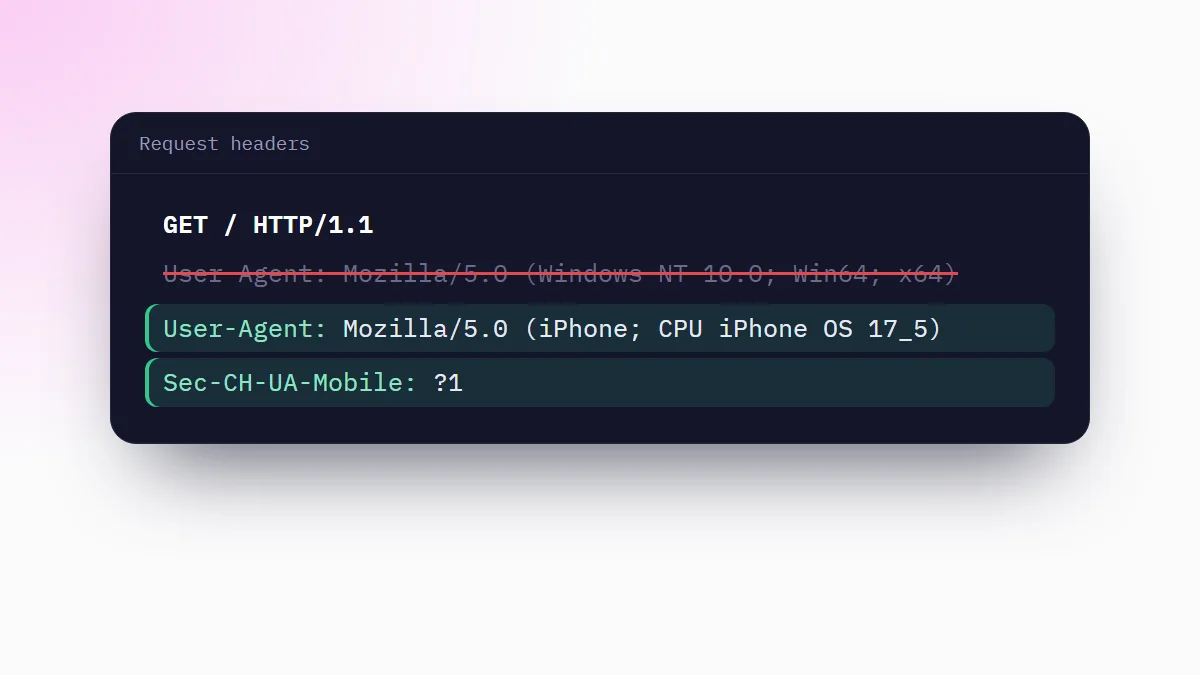
Set a custom User-Agent header
Change the User-Agent header that servers receive to test server-side device detection. Scripts on the page still read your real browser. See how to change the User-Agent in Chrome.
Edit cookies Pro
A cookie editor for the Cookie and Set-Cookie headers, per site. Handy to test sessions, logins and feature flags.
Redirect requests Pro
Point any request to another URL, for example to load a local build of a script on a live site.
Block requests Pro
Stop matching requests from loading, such as trackers, ads or a slow third-party script, to test how a page behaves without them.
Test APIs and QA environments
Keep one header profile per environment and switch in one click. Export any profile as a ready-to-run cURL command (Pro).