When an iframe shows a grey box with a sad-page icon and “site refused to connect”, the page you tried to embed did load. Its response simply told the browser not to display it inside your page. Two headers can say that: X-Frame-Options and the frame-ancestors directive of Content-Security-Policy. Only the embedded site can change them for everyone; you can remove them in your own Chrome to test.
Read the console message
Open DevTools (F12) on the page that contains the iframe. Chrome names the header that blocked it:
Refused to display 'https://partner.example.com/' in a frame because it
set 'X-Frame-Options' to 'sameorigin'.
or, when the block comes from Content-Security-Policy:
Framing 'https://partner.example.com/' violates the following Content
Security Policy directive: "frame-ancestors 'self'". The request has been blocked.
To see the header itself, go to Network, reload, select the request for the embedded page (its type is document) and look under Response Headers.
What each value means
| Header | Value | Who can embed the page |
|---|---|---|
X-Frame-Options | DENY | Nobody |
X-Frame-Options | SAMEORIGIN | Only pages on the same origin |
X-Frame-Options | ALLOW-FROM | Ignored by current browsers |
frame-ancestors | 'none' | Nobody |
frame-ancestors | 'self' | Only the same origin |
frame-ancestors | 'self' https://app.example.com | The same origin and the origins listed |
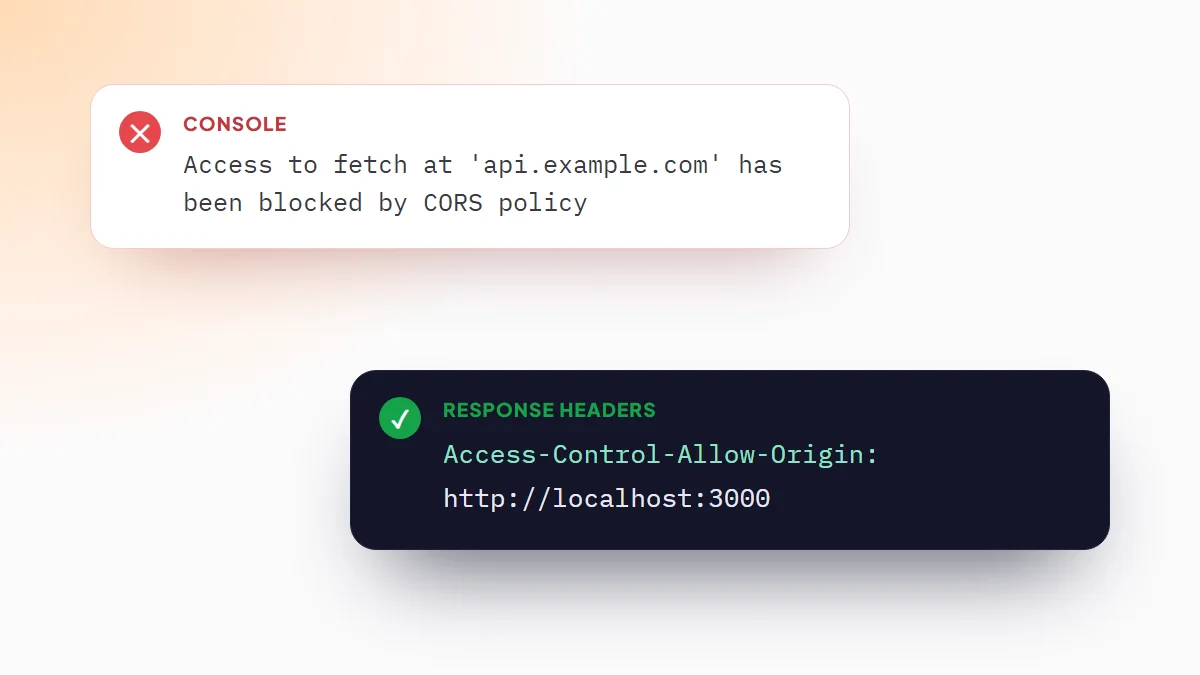
When a response carries both, Chrome follows frame-ancestors and ignores X-Frame-Options. The origin includes the scheme and the port: https://app.example.com does not cover http://localhost:3000.
The real fix is on the embedded site
If you control the site being embedded, list the pages allowed to frame it and drop X-Frame-Options, which can only say “nobody” or “same origin”. In Nginx:
# remove any add_header X-Frame-Options line, then:
add_header Content-Security-Policy "frame-ancestors 'self' https://app.example.com" always;
In Express with Helmet, which sends X-Frame-Options: SAMEORIGIN by default:
app.use(helmet({
  frameguard: false,
  contentSecurityPolicy: {
    directives: { frameAncestors: ["'self'", 'https://app.example.com'] }
  }
}));
If the site is not yours, the headers stay. Many services offer an embed code or an API meant for this; otherwise, link to the page instead of framing it.
Test the embed in Chrome first
While you build the page that holds the iframe, you can remove the blocking headers in your own browser and see how the embed behaves before the server changes.
- Install ModHeader ExtensionAdd it from the Chrome Web Store. New to it? The guide on how to use ModHeader explains profiles and rules.
- Start from the templateIn the editor, create a new profile from Remove CSP & X-Frame-Options. It adds two Response header rules set to Remove.
- Scope both rulesSet Apply to to a URL filter for the embedded site, such as
||partner.example.com. The template applies to all URLs until you do. - Reload your pageThe iframe now loads. Response headers are part of the free version.
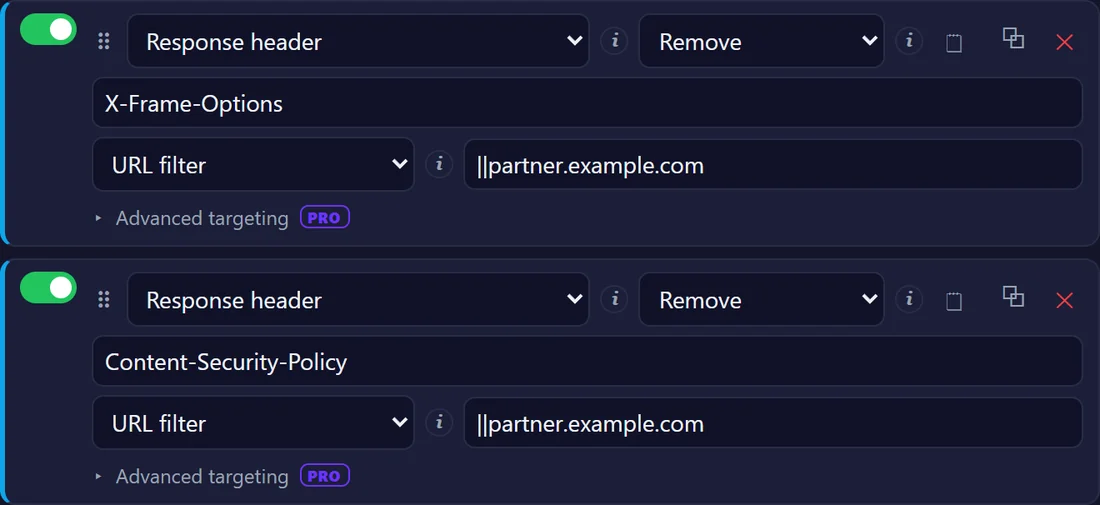
Removing these headers affects your Chrome alone: your visitors still get the grey box until the embedded site allows your origin. Removing the whole Content-Security-Policy also turns off that site's other protections in your browser, so keep the rules behind a URL filter and switch the profile off when you finish. Alt+Shift+H turns every rule off at once.
The frame loads but you are logged out
Inside an iframe from another site, the embedded page's cookies are third-party cookies. Chrome treats cookies without a SameSite attribute as SameSite=Lax, and those are not sent in a cross-site frame, so the page shows its login screen or loses the session. The embedded site has to set its session cookie with SameSite=None; Secure. If you browse with third-party cookies blocked, as in Incognito by default, even that is not enough.
Before you blame the headers
- Mixed content. An
http://iframe inside anhttps://page is blocked for a different reason; the console says “Mixed Content”. - The page's own CSP. If your page sends
frame-srcorchild-srcin its Content-Security-Policy, it has to allow the embedded origin too. That message mentionsframe-src, notframe-ancestors. - A script that breaks out. Older sites check
window.top !== window.selfand redirect or blank the page. No header rule changes that.
Frequently asked questions
What does “refused to connect” mean in an iframe?
The embedded site answered, but its response told the browser not to show it inside a frame on your page, with X-Frame-Options or with the frame-ancestors directive of its Content-Security-Policy. The DevTools console names the exact header.
How do I allow my site to be embedded in an iframe?
Send Content-Security-Policy: frame-ancestors 'self' followed by the origins allowed to embed it, for example https://app.example.com, and stop sending X-Frame-Options, which cannot list other origins.
Is X-Frame-Options ALLOW-FROM still supported?
No. Chrome and Safari never supported ALLOW-FROM and Firefox removed it. Browsers ignore it, so use the frame-ancestors directive of Content-Security-Policy to list the allowed origins.
Can I make an iframe work for my visitors if the other site blocks it?
No. The headers are enforced by each visitor's browser. Removing them in your own Chrome is only useful for testing; for visitors, the embedded site has to allow your origin, or you link to it instead.