Extensions  /  Form Filler
Form Filler icon
Developer Tools

Form Filler: Auto-Fill Web Forms with Fake & Test Data

A one-click generator that fills any web form with realistic, well-formed test data. Built for developers and QA who are tired of typing dummy data by hand.
Add to Chrome, it's free
Chrome Free + Pro One click
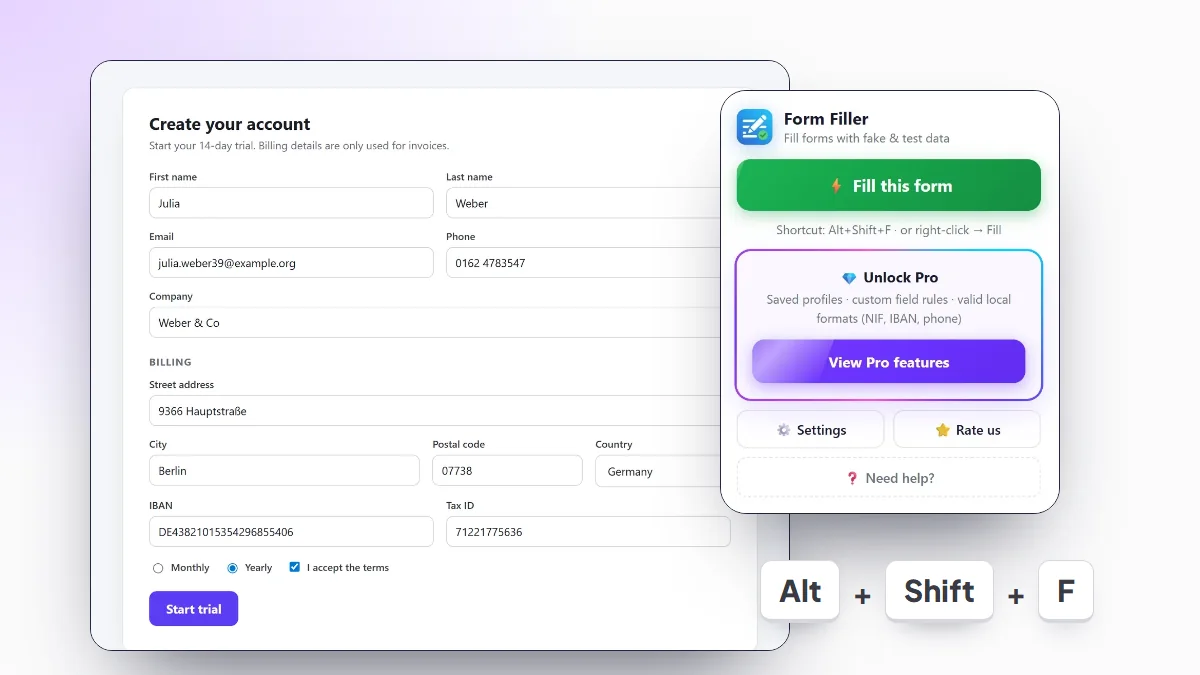
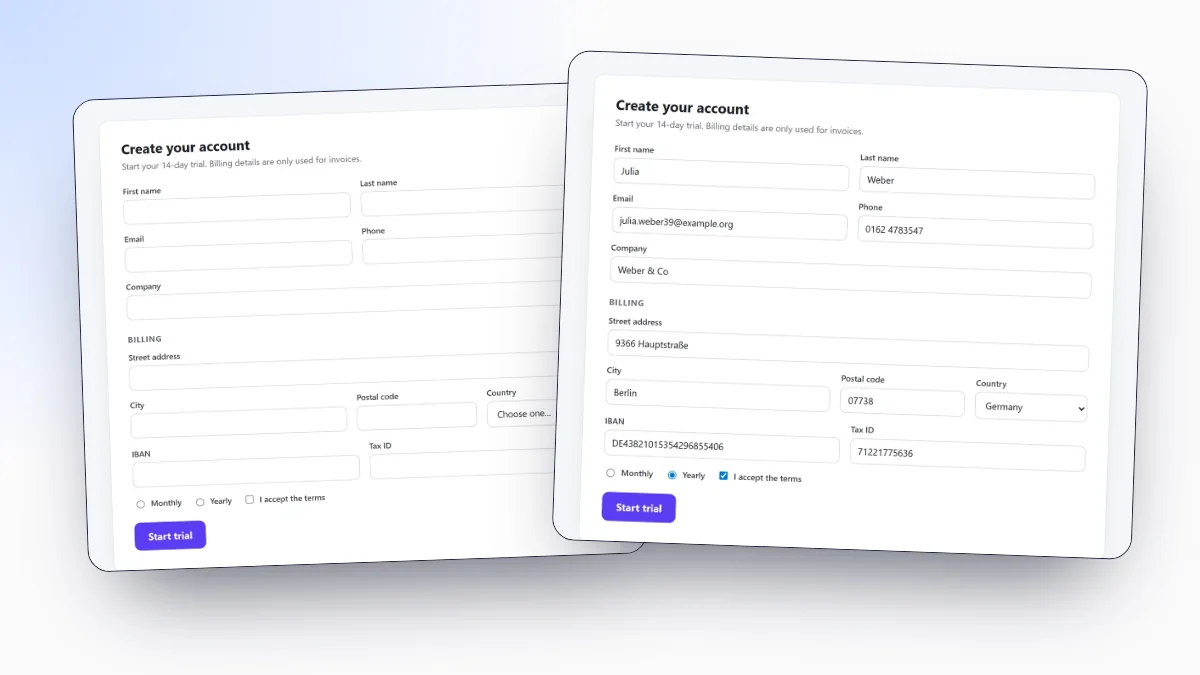
Form Filler in action
Form Filler screenshot

What it does

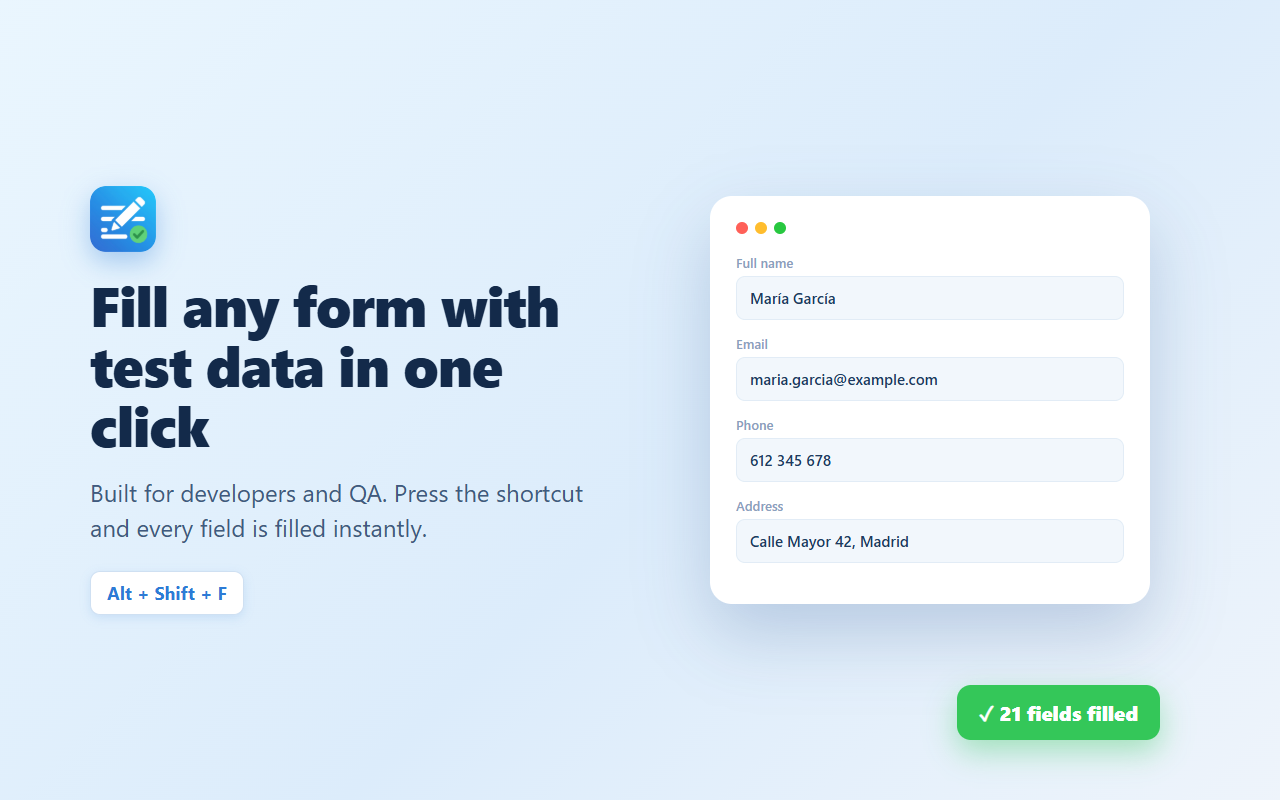
Form Filler is a form filler extension for Chrome that autofills any web form with realistic, randomised test data in a single click: names, emails, addresses, phone numbers, dates, numbers and more. Stop typing test test test into every field while you build or check a form.

It's made for developers and QA testers who fill the same forms over and over. Trigger it once and the whole form is completed with sensible, well-formed values, so you can focus on the behaviour you're actually testing.

It handles text inputs, textareas, dropdowns, checkboxes and radio buttons, custom selects such as select2 and fields inside open Shadow DOM. No accounts, no tracking, everything runs locally in your browser.

Key features

✓
Fill an entire form with a single click.
✓
Realistic fake data: names, emails, addresses, phones, dates and numbers.
✓
Handles inputs, textareas, selects, checkboxes and radio buttons.
✓
Perfect for developers and QA testing repetitive forms.
✓
Lightweight and private: no accounts, no telemetry, runs entirely in your browser.

What you can test with it

Sign-up and checkout forms

Fill every field with one shortcut after each code change, instead of typing test twenty times. Set-up and options: how to autofill forms in Chrome.

Bank and tax fields that validate

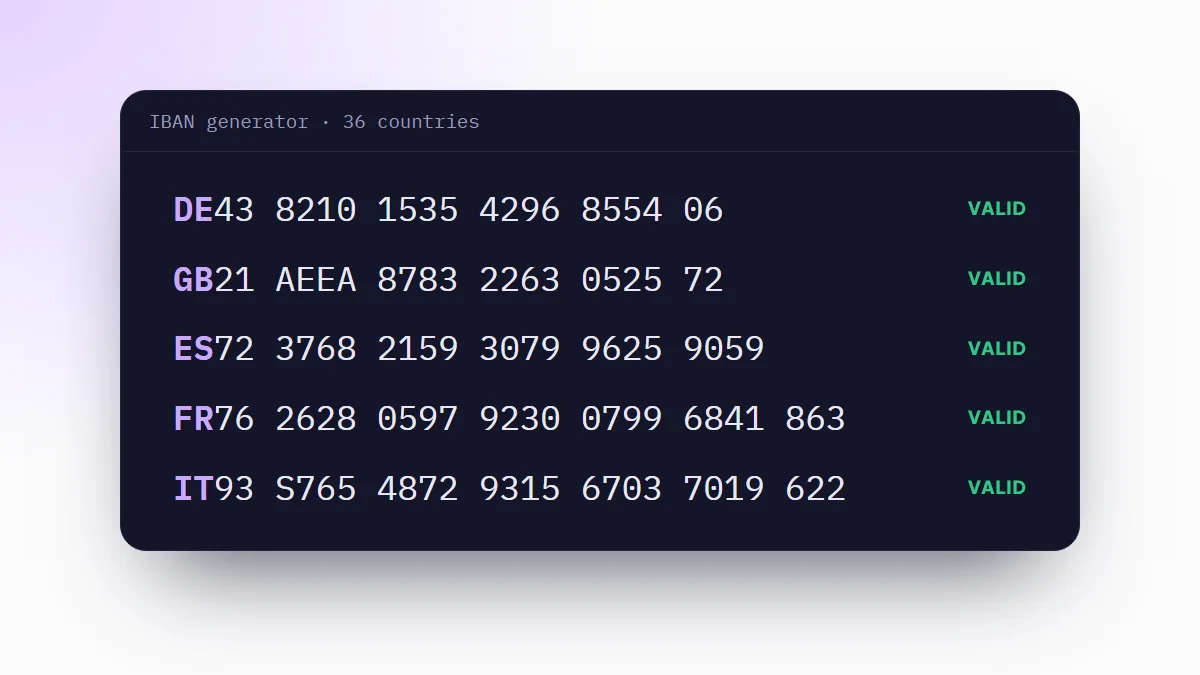
Forms that check an IBAN or a tax ID reject random digits. Pro fills checksum-valid IBANs and national IDs for the data country. For a single value, use the free IBAN generator.

React, Vue and Angular apps

Values go in through the native input setter with input and change events, so the framework sees them and the form does not reset on submit. Strict fields can get simulated typing.

Forms for other countries

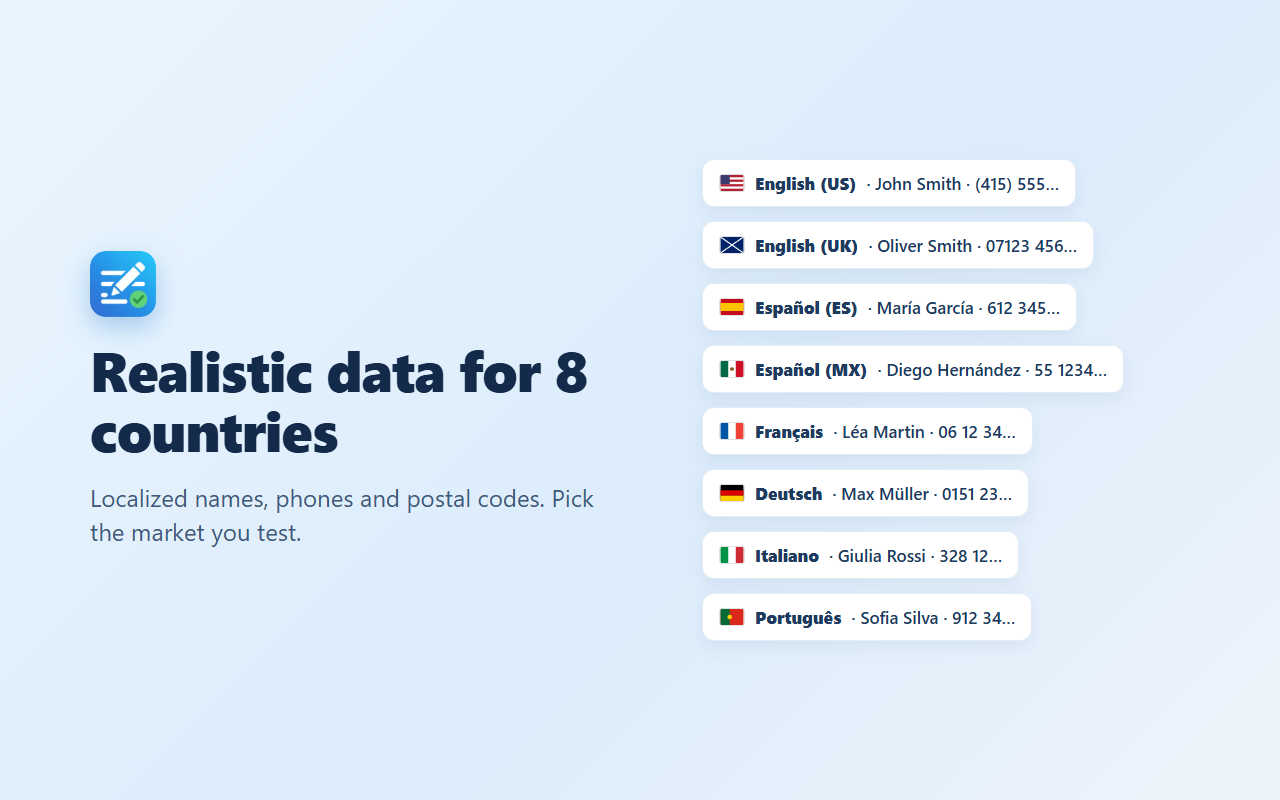
Switch the data to the UK, Spain, Mexico, Portugal, France, Germany or Italy and postal codes, phones and addresses follow local formats. More options in how to generate test data for web forms.
Pro One-time payment
Unlock the power features

Pay once, keep it forever. No subscription.

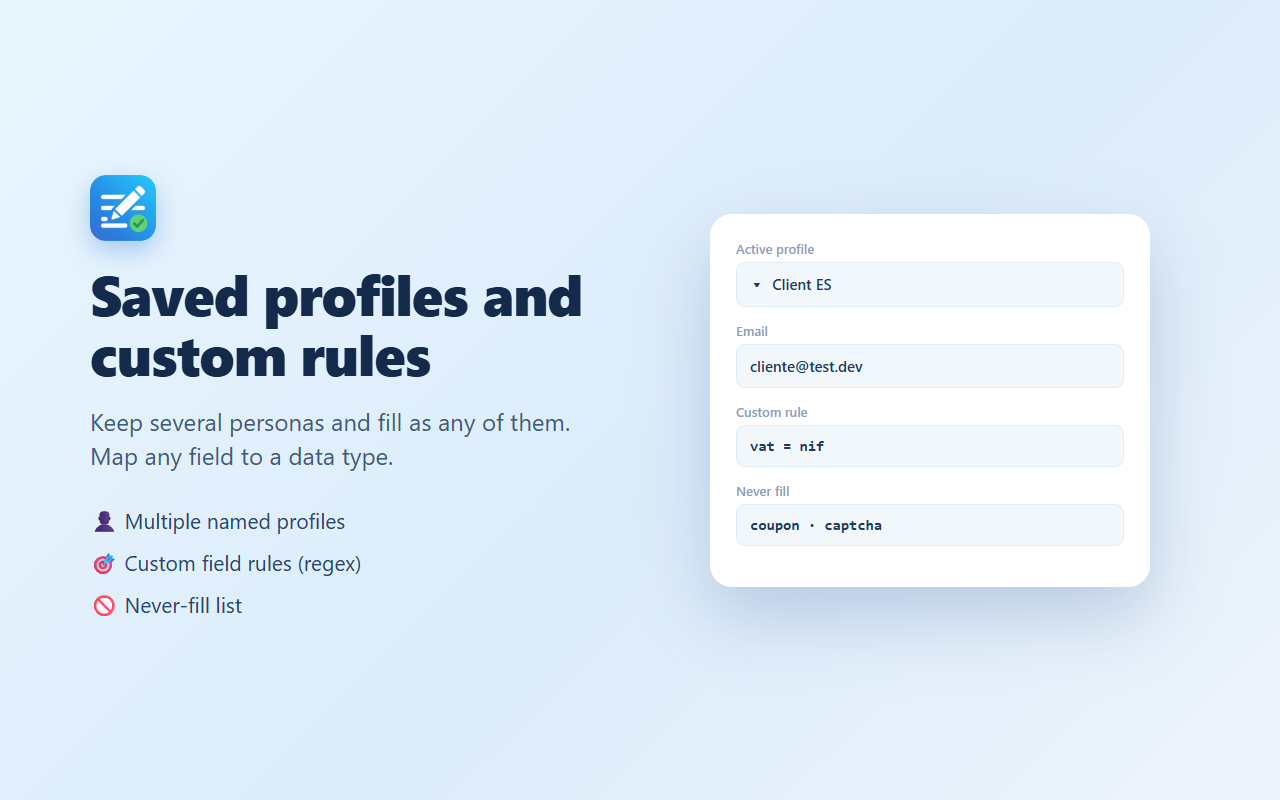
★Saved profiles: fill as different personas in one click
★Per-profile country: each saved profile with its own data country
★Valid IBAN and IDs: NIF, Steuer-ID, Codice Fiscale and more
★Custom field rules: map any field name to a data type
★Never-fill list and formats, plus import & export
Get started
Free to install · upgrade to Pro anytime

Frequently asked questions

Is it free?
Yes. The core is free: it fills whole forms, with data for 8 countries, from a keyboard shortcut, the right-click menu or the toolbar. Pro is an optional one-time purchase of 4.99 USD that adds saved profiles, custom field rules, a never-fill list, field formats, import and export, and checksum-valid IBANs and national IDs.
How do I autofill a form with test data?
Open the page with the form and press Alt+Shift+F. You can also right-click the page and choose Fill this form with test data, or click the toolbar icon and then Fill this form. Every visible field is filled at once. Full guide: how to autofill forms in Chrome.
Does it generate valid IBANs and tax IDs?
With Pro, yes: IBANs are checksum-valid for the data country, and so are the Spanish and Portuguese NIF, the French INSEE number, the German Steuer-ID, the Italian Codice Fiscale and the Mexican CLABE. The free version fills those fields with the right prefix and length. Need just one? Use the IBAN generator.
Which countries does the data cover?
The United States, the United Kingdom, Spain, Mexico, Portugal, France, Germany and Italy. Names, cities, streets, phone numbers and postal codes follow the country you choose in Settings.
Does it work with React, Vue and Angular forms?
Yes. Values are set through the browser's native input setter, followed by input and change events, so the framework updates its state. For forms that validate on every keystroke, turn on Simulate typing.
Is it an alternative to Fake Filler?
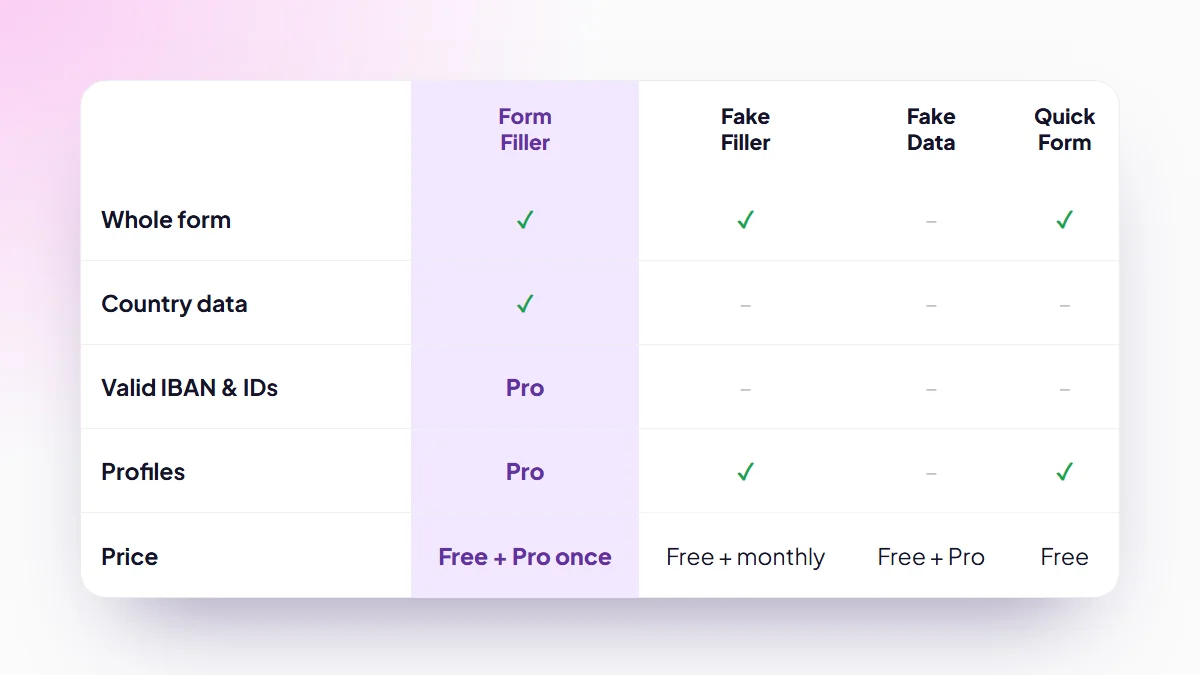
Yes. Both fill a whole form with random data in one click. Form Filler adds data for 8 countries and valid IBANs and IDs, and its Pro is a one-time payment instead of a subscription. See the Fake Filler alternatives compared.
Does it collect my data?
No accounts and no tracking. Everything runs locally in your browser. The only network request is the Pro license check, and only if you buy Pro. See our privacy policy.
Is the data real?
No. It generates realistic but fake values, safe to use for testing and development. Nothing points to a real person or bank account.
Is Pro a subscription?
No. Pro is a single one-time payment of 4.99 USD. Pay once and it is yours, with no recurring charges.
© 2026 extensionshub.net