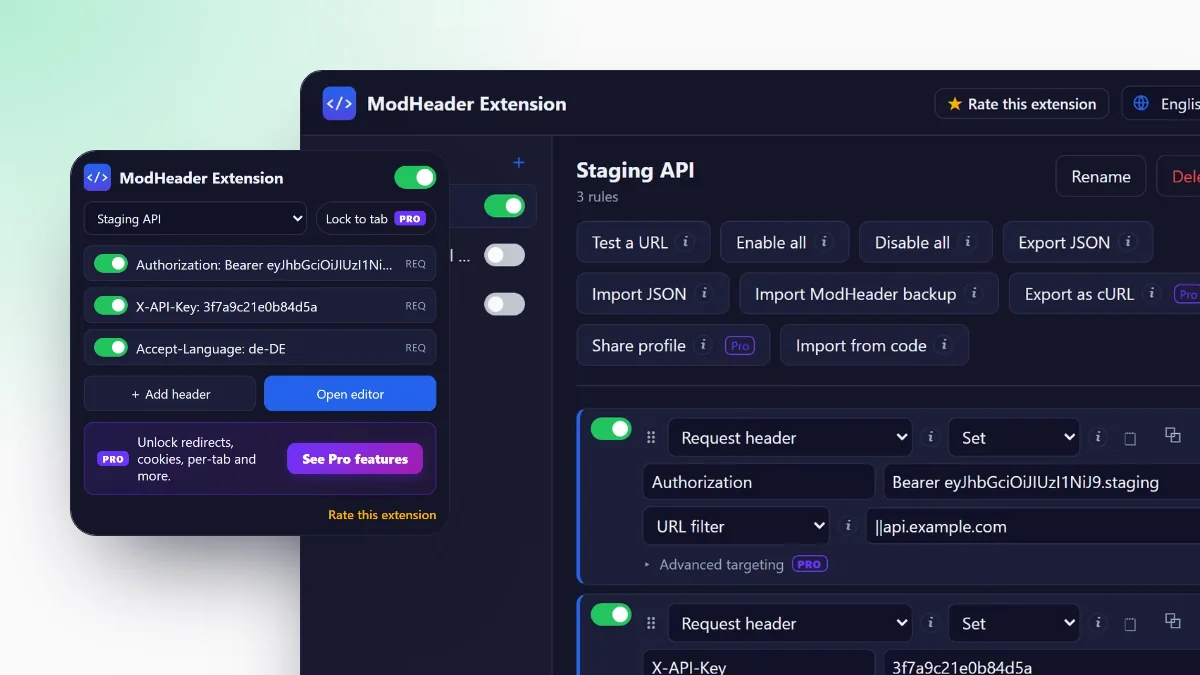
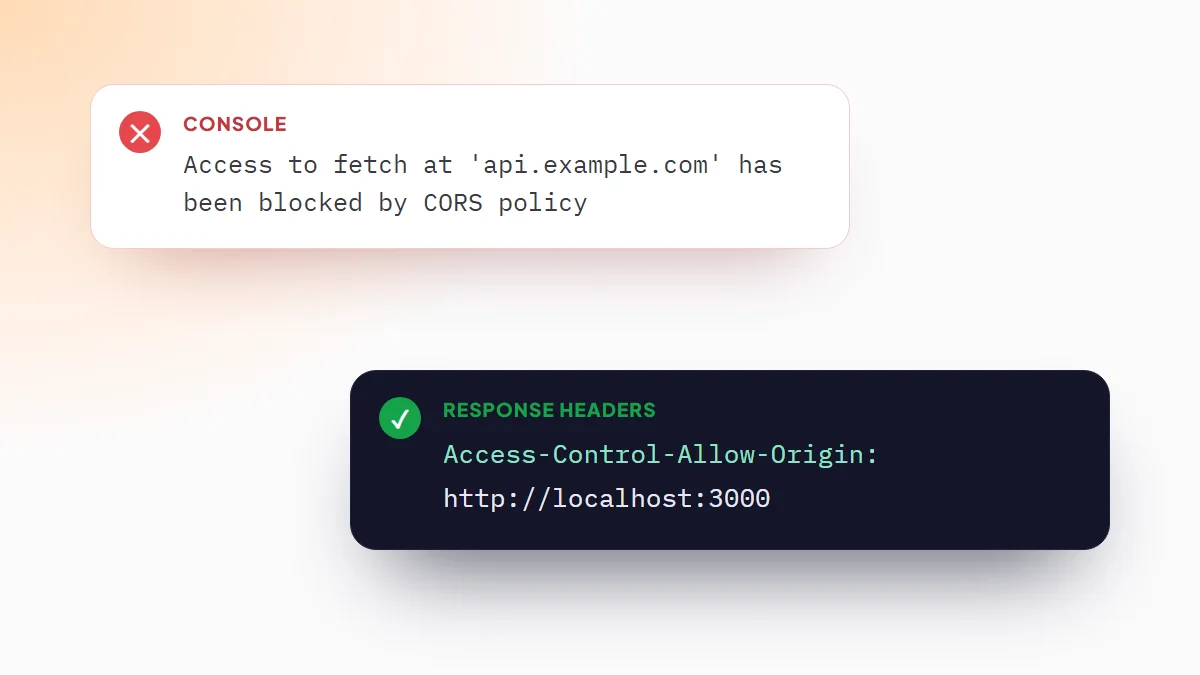
Chrome has no setting to add a header to the requests a page sends. An extension that uses Chrome's own request rules can: you describe the header and the sites, and Chrome adds it to every matching request, including the ones made by JavaScript.
What DevTools can and can't do
DevTools is often the first place people look. It covers two narrow cases:
- Override response headers from the Network panel. The override only works while DevTools stays open, and only changes what comes back, not what you send.
- Copy as cURL or Copy as fetch on a request, then edit the headers and run it again by hand. That repeats one request; the page itself keeps sending the originals.
To add a request header to real browsing, for example to log in to a staging API that expects a token, you need a header rule.
Add a request header in 30 seconds
- Install ModHeader ExtensionAdd it from the Chrome Web Store and pin it to the toolbar. The guide on how to use ModHeader covers the editor in detail.
- Create a ruleClick the icon and choose Add header. A new Request header rule opens in the editor with the operation set to Set.
- Fill in the headerType the name, for example
X-API-Key, and its value. - Limit it to your siteIn Apply to, choose URL filter and enter
||api.example.com. - Reload the pageEvery matching request now carries the header.
GET /v1/userswith no token401 UnauthorizedGET /v1/users+Authorization: Bearer …added by the rule200 OKwith your data ✓
Headers people add most
Bearer token
Authorization: Bearer eyJhbGciOiJIUzI1NiJ9.your.tokenThe usual header for OAuth and JWT APIs. The Bearer token template creates this rule with the Bearer prefix already typed.
Basic authentication
Authorization: Basic dXNlcjpwYXNzThe value is user:password encoded in base64. To get yours, run btoa('user:password') in the DevTools console and paste the result after Basic .
API key
X-API-Key: 3f7a9c21e0b84d5aThe exact name depends on the API: X-API-Key, Api-Key or Ocp-Apim-Subscription-Key are common. Copy it from the API's documentation.
Language, flags and debugging
Accept-Language: de-DE
X-Feature-Flag: new-checkout
X-Debug: 1
Accept-Language shows you the localized version of a site without changing Chrome's language. Custom X- headers switch on whatever your backend reads from them.
Send it to one site only
A rule on All URLs sends the header to every site you open, including analytics and ad scripts on those pages. For credentials that is a leak. Use a URL filter instead:
||api.example.com: that domain and its subdomains.||example.com/api/*: only paths under/api/.localhost:3000: your local server.
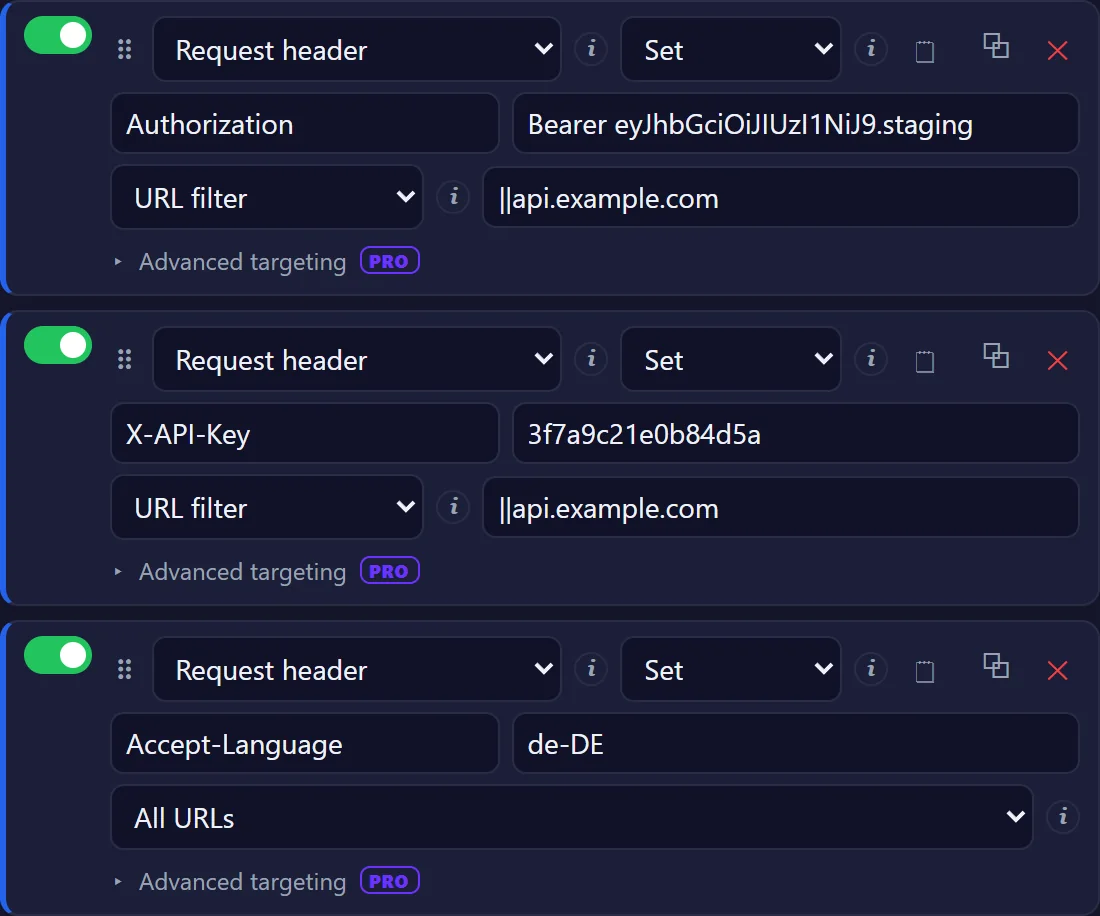
Pro adds regex conditions, HTTP method and request type filters, and a list of excluded domains for finer control.
Keep staging and production tokens in separate profiles and leave only one of them switched on. All profiles that are on apply together, so two tokens for the same API would compete.
Add a response header
Change the rule type to Response header to alter what the server sends back before Chrome acts on it. Typical uses:
Access-Control-Allow-Originto call an API from a local front end during development. The CORS guide covers it step by step.Cache-Control: no-storeto stop Chrome caching a page you are editing.- Remove
X-Frame-Optionsto test whether it is what blocks an iframe. The X-Frame-Options and iframe guide covers it.
Check that it worked
Open DevTools, go to Network, reload and select a request to your site. The header appears under Request Headers, or Response Headers for response rules.
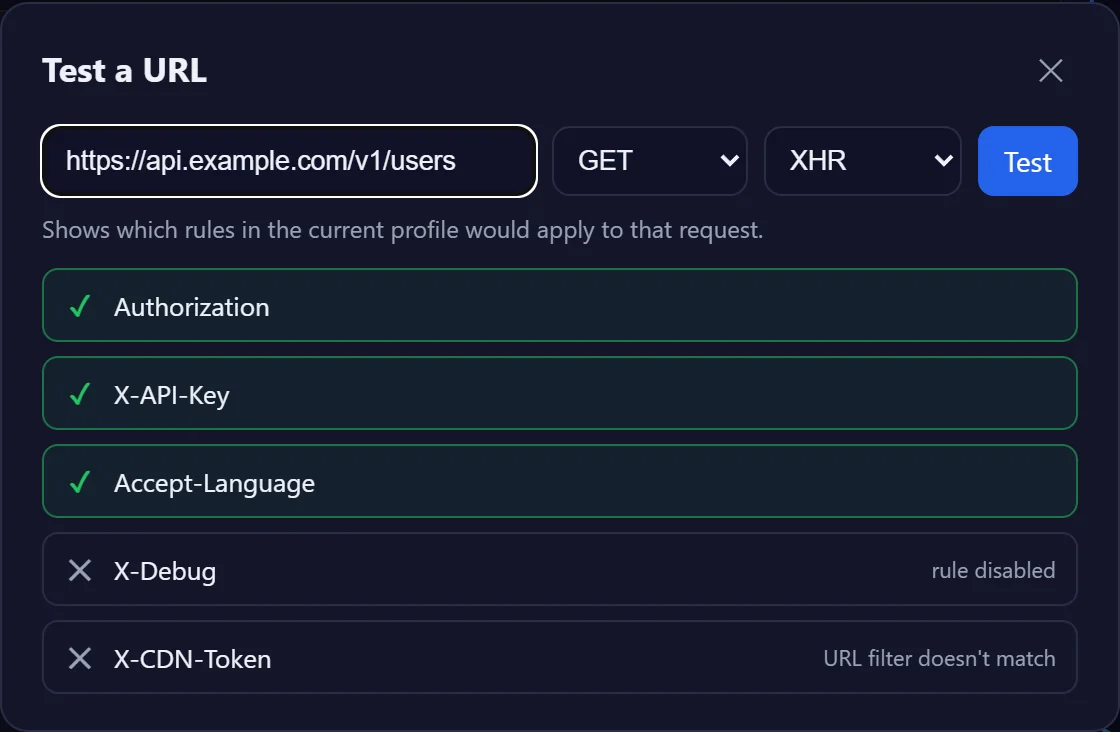
If it is missing, open Test a URL in the editor and paste the request's address. It lists every rule in the active profile and says why each one does or does not apply: a URL filter that does not match, a disabled rule, a different method or request type.
The header is sent but the server ignores it
If DevTools shows the header on the request and the server still behaves as if it were missing:
- Check the value, not just the name. A missing
Bearerprefix, a space inside a token or quotes pasted around it are the usual culprits. Header names are case-insensitive; values are not. - Look for something in between. A CDN, a load balancer or a corporate proxy can drop headers it does not know. Test against the server directly if you can.
- Check the request you are looking at. A page makes many requests; the header only matters on the call to the API. Filter the Network tab by the API's domain.
- Watch for a second rule. Two rules setting the same header in the active profile make the result hard to predict. Keep one rule per header, and use separate profiles for alternatives.
Headers Chrome won't let you add
Chrome controls the connection headers and ignores any change to them from an extension: Host, Connection, Keep-Alive, Content-Length, Transfer-Encoding, Upgrade, TE, Trailer and Proxy-*. The editor warns you if you type one.
User-Agent, Origin and Referer can be set on the request the server receives, but scripts on the page still see the browser's real values. The guide on how to change the User-Agent in Chrome shows how to change it for scripts too.
Keep tokens safe
Header rules are stored in Chrome's local extension storage on your computer, not in any cloud, and they are not encrypted. Treat them like a password manager you did not lock:
- Use short-lived or test tokens, not production keys with full access.
- Put every credential behind a URL filter, so it only reaches the API it belongs to.
- Exported JSON files and shared profile codes contain the values in plain text. Delete the token from a copy before you commit it or send it.
Reuse the setup
Export JSON saves every profile to a file you can load on another computer with Import JSON, or keep, without the secrets, next to your project. With Pro, Share profile turns a profile into a short code a teammate pastes into Import from code, and Export as cURL copies the active request headers as a command you can run in a terminal.
Frequently asked questions
Can I add a header in Chrome without an extension?
Not to the requests a page makes while you browse. DevTools can override response headers while it is open, and you can copy a request as cURL or fetch and resend it by hand, but neither adds a header to every request.
How do I add an Authorization header in Chrome?
Create a Request header rule with the name Authorization and the value Bearer followed by your token, or Basic followed by base64 of user:password. Limit it with a URL filter so it only reaches your API.
Does the header reach requests made by JavaScript?
Yes. Rules apply to fetch and XMLHttpRequest calls as well as to page loads, scripts, images and the other request types, unless you restrict the types with Pro.
Will my custom header be sent to other websites?
Only if the rule applies to All URLs. With a URL filter such as ||api.example.com, it is sent to that domain and its subdomains and nowhere else.