Every form you build gets filled in hundreds of times before it ships: after each change, on each browser, for each bug report. Typing test test test is slow, and it hides bugs, because real users do not type test. This guide covers what good test data looks like and the four practical ways to generate it.
What good test data looks like
- Fake, never copied from production. Personal data copied into a test system is still personal data. Invented values carry no risk if a staging database leaks.
- Valid where the form validates. An email with an @ and a domain, a phone number with the right number of digits, a postal code in the local format. If the form checks an IBAN or a card number, the test value has to pass the checksum or you never get past the field.
- Realistic for the country. A German address has a five-digit postal code and a street like Hauptstraße; a UK one has a postcode like SW1A 1AA. Local formats catch layout and validation bugs that US-only data misses.
- Safe to send to. Use the domains reserved for testing,
example.comandexample.org, so a confirmation email never lands in a stranger's inbox. - Different every time. Unique emails and usernames avoid "already registered" errors when you submit the same form twice.
Valid data tests the happy path. Also try an empty required field, a 300-character name, names with accents or apostrophes (Zoë O'Brien), and a pasted value with spaces at the end. Those are where forms break.
Four ways to generate test data
1. By hand
Fine for a form with three fields that you test once. It stops working when the form has twenty fields, needs a valid tax ID or has to be filled after every code change. People also end up reusing the same values, so duplicate-email bugs stay hidden.
2. Online generators
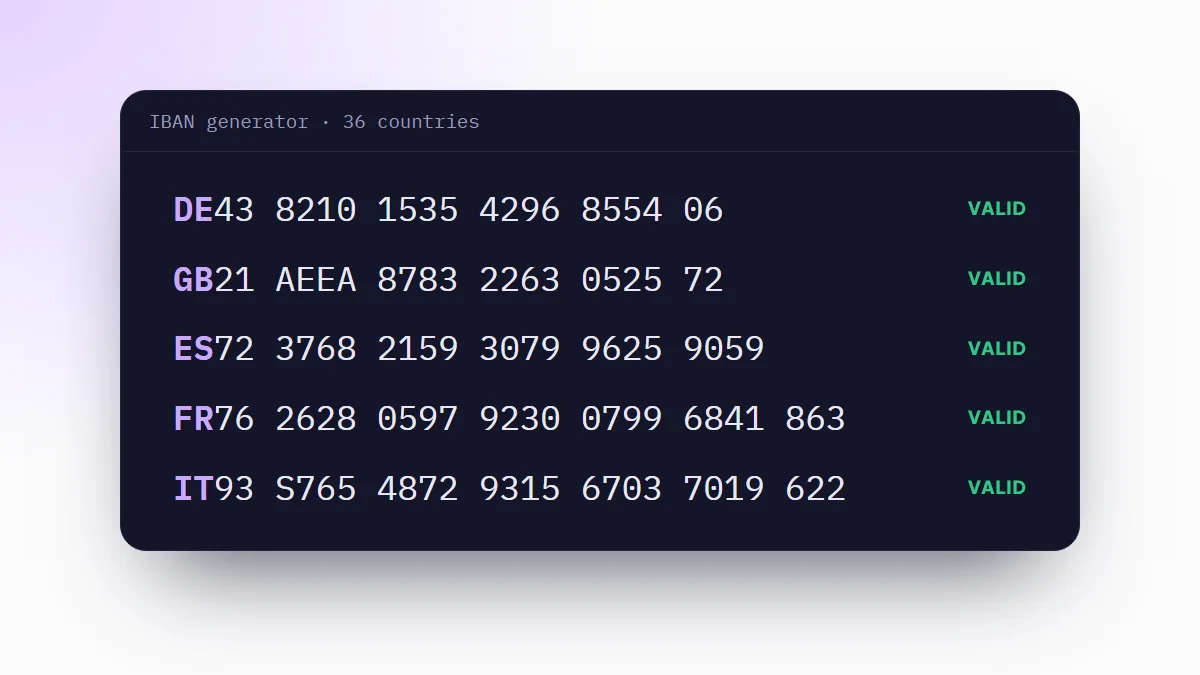
Websites that generate one kind of value: a name, an address, a credit card number that passes the Luhn check, an IBAN. Useful when one field is the hard part. Our IBAN generator, for example, creates checksum-valid IBANs for 36 countries in the browser. The drawback is copy and paste, one field at a time.
3. Faker in your code
For automated tests and for seeding a database, generate the data where the test runs. Faker is the usual library, with versions for most languages and data for many countries.
import { fakerDE as faker } from '@faker-js/faker';

const user = {
  firstName: faker.person.firstName(),
  lastName: faker.person.lastName(),
  email: faker.internet.email({ provider: 'example.com' }),
  street: faker.location.streetAddress(),
  iban: faker.finance.iban({ countryCode: 'DE' }),
};
from faker import Faker
fake = Faker('de_DE')
user = {
'name': fake.name(),
'email': fake.email(),
'iban': fake.iban(),
}In an end-to-end test you then type those values into the form with Playwright, Cypress or Selenium. The data lives with the test, and every run gets fresh values.
4. A form filler extension
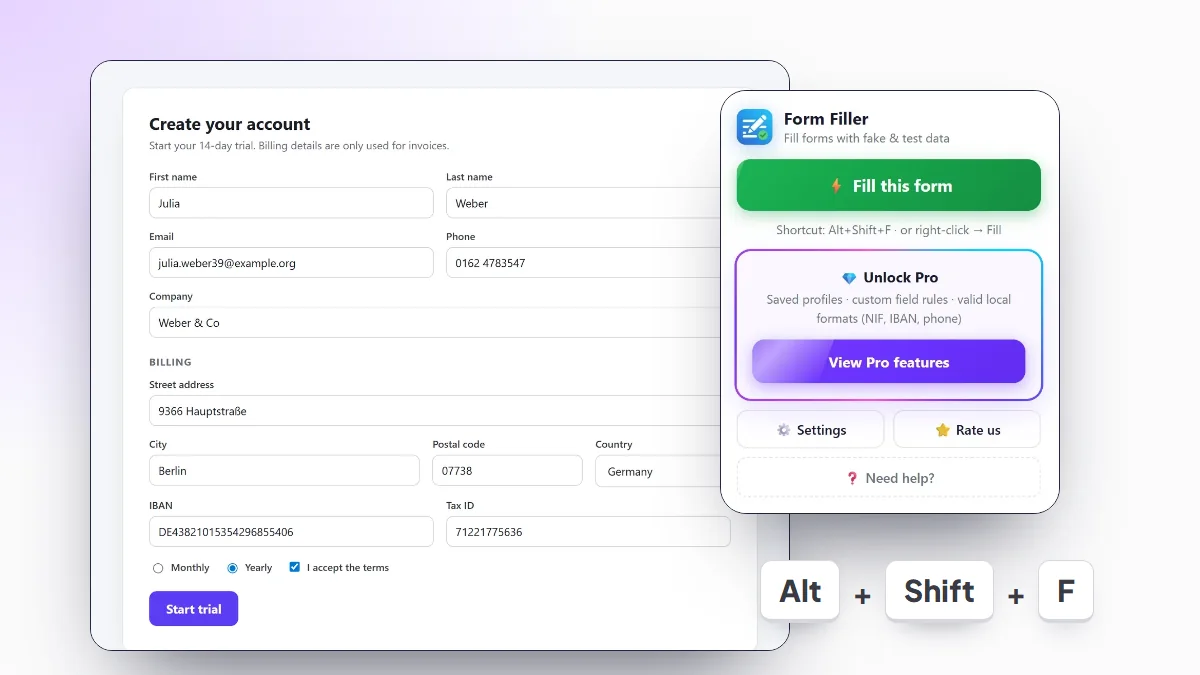
For manual testing, the fastest option is an extension that fills every field of the page at once. Form Filler reads each field's type, name, label and autocomplete attribute, decides what it is and writes a matching value: first name in the first name field, email in the email field, a valid postal code for the country in the postal code field.
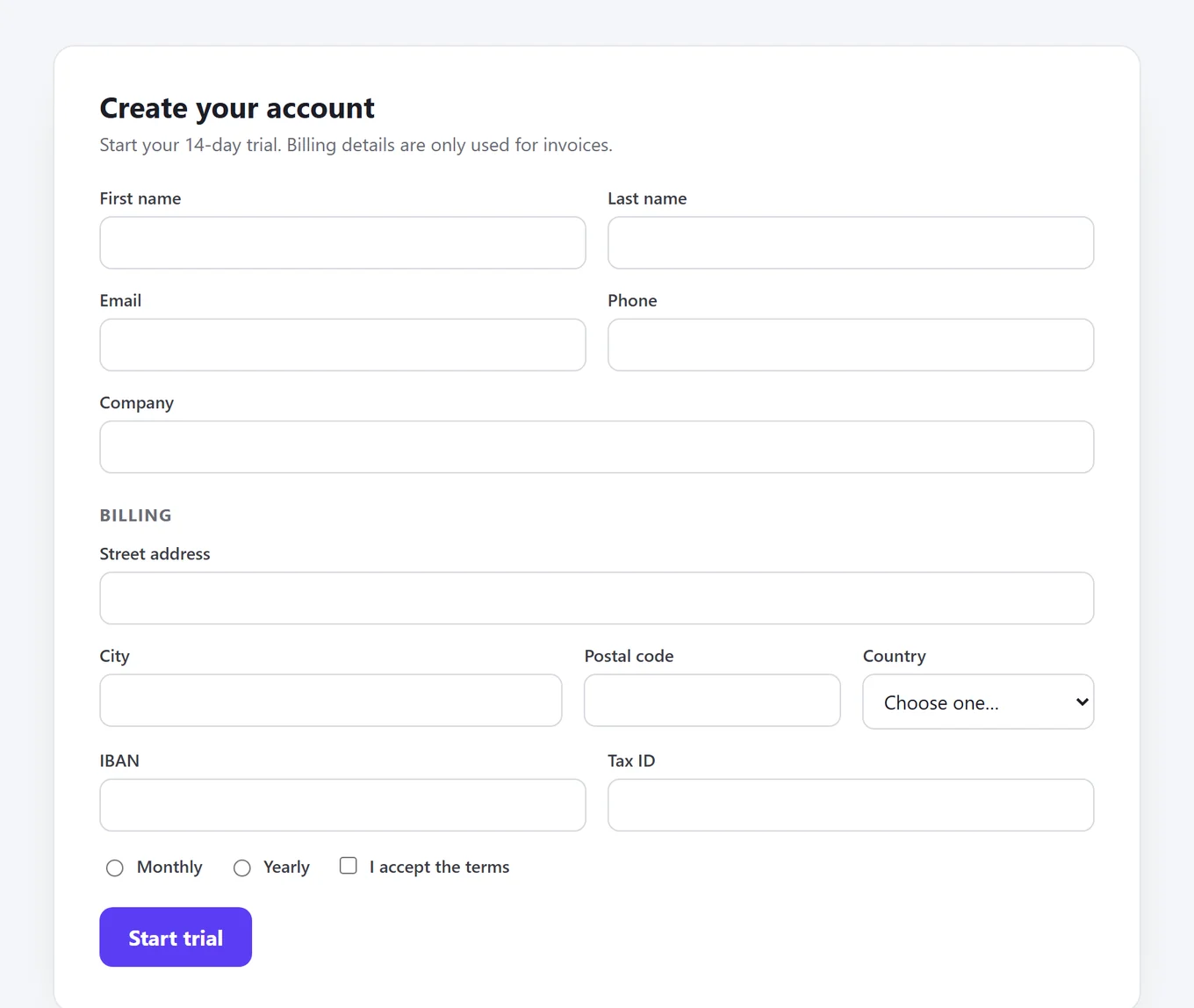
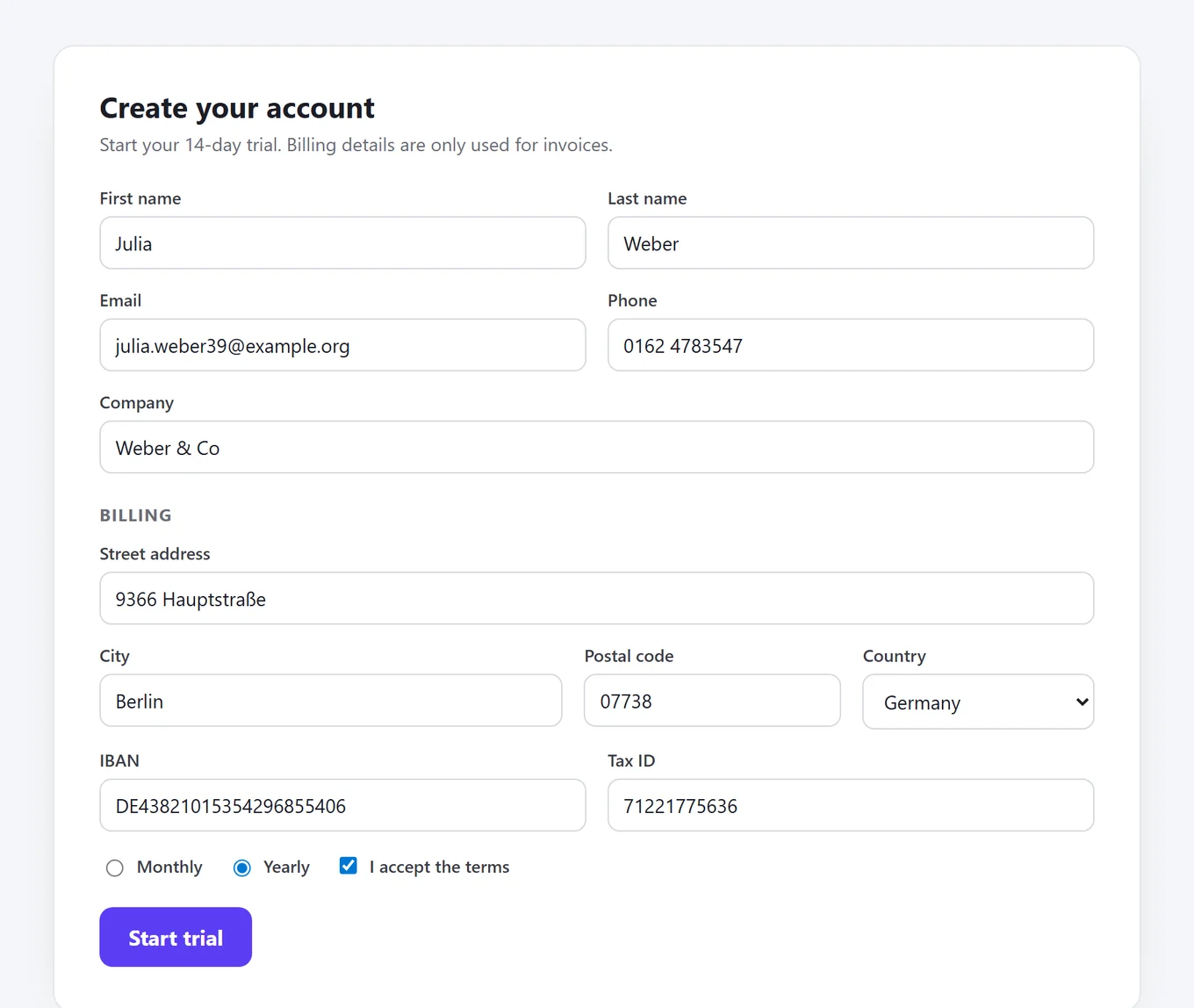
It also picks an option in dropdowns, one radio button per group and random checkboxes, and it writes values the way a user would, so forms built with React or Vue register them. The full setup is in how to autofill forms in Chrome.
Which method to use
| Need | Best fit |
|---|---|
| Checking a form by hand after each change | A form filler extension |
| One hard field, like an IBAN or a card number | An online generator |
| Automated end-to-end tests | Faker inside the test |
| Seeding a development database | Faker in a seed script |
| Edge cases and invalid input | A list of known problem values, typed by hand or pasted |
Most teams use two: Faker for the automated suite, and a form filler for the manual checks in between.
Country-specific data and IDs
Forms for European or Latin American users often ask for a national ID or a bank account, and they validate it. Random digits fail. You need a value that follows the national rules: the letter of a Spanish NIF, the check digit of a German Steuer-ID, the control character of an Italian Codice Fiscale, the mod 97 digits of an IBAN.
Form Filler generates data for eight locales: the United States, the United Kingdom, Spain, Mexico, Portugal, France, Germany and Italy. Names, phones, cities and postal codes follow the country in the free version. With Pro, IBANs, the Mexican CLABE and the national IDs of Spain, Portugal, France, Germany and Italy are checksum-valid too (NIF, INSEE number, Steuer-ID, Codice Fiscale).
Frequently asked questions
Can I use real customer data for testing?
Avoid it. Copying personal data from production into a test environment is still processing personal data, with the same legal duties, and test systems are rarely protected like production. Fake data that looks real does the same job without the risk.
What is the difference between fake data and test data?
Fake data is any made-up value. Test data is fake data chosen to test something: valid values for the happy path, and empty, too long or malformed values for the error paths.
Which email domain should test data use?
example.com, example.org and example.net are reserved for documentation and testing by RFC 2606, so messages to them never reach a person. If your app has to send real emails during tests, use an inbox you control.
How do I generate test data for automated tests?
Use a library such as Faker (@faker-js/faker for JavaScript, Faker for Python) inside the test, so every run gets fresh values and the data lives next to the code.
How do I fill a form with test data in Chrome?
Install a form filler extension such as Form Filler, open the form and press Alt+Shift+F. Every field is filled with fake data for the country you pick in its settings.